Home
How to use
Viral Frame
Blog
Login
Frame is Ready
Just Now
Your Frame has been downloaded.
Close Ads ×
Close Ads ×
Campaigns
2nd SINEC 2026
2nd SINEC 2026
by
SINEC
Published on
January 19 at 11:14 am
95 Supporters
Support
Choose a Photo or Image
Download
Your Frame is ready!
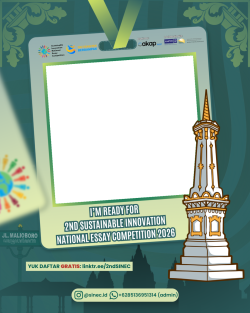
🚀 𝗜'𝗠 𝗥𝗘𝗔𝗗𝗬 𝗧𝗢 𝗕𝗘 𝗣𝗔𝗥𝗧 𝗢𝗙 𝗞𝗔𝗧𝗔𝗟𝗜𝗦𝗔𝗧𝗢𝗥 𝗠𝗨𝗗𝗔 𝗪𝗜𝗧𝗛 𝟮𝗻𝗱 𝗦𝗜𝗡𝗘𝗖 𝟮𝟬𝟮𝟲! 🌍✨ Aku, (Nama) dari (Asal Sekolah/Universitas), siap menjadi Finalis di lomba esai @sinec.id yang diselenggarakan oleh @cakapriset pada 16-17 Mei 2026 secara online & 27-28 Juni 2026 offline di Yogyakarta 📢 Ayo, daftarkan tim mu sekarang 𝗚𝗥𝗔𝗧𝗜𝗦 di: 🔗 linktr.ee/2ndSINEC Jadilah bagian dari kompetisi esai paling inspiratif tahun ini 🌟 #2ndSINEC2026 #SINEC #InfoLombaGratis
Copy Caption
Restart
Save
https://framise.com/sinec2026
How to Use the Frame Editor
Desktop Users
Move Image:
Click and drag the image to reposition
Zoom:
Use mouse wheel to zoom in/out
Pan:
Right-click and drag to pan around
Mobile/Touch Users
Move Image:
Touch and drag to reposition
Zoom:
Use pinch gesture (two fingers)
Pan:
Touch and drag with two fingers
Pro Tips:
Position your image within the frame borders for best results
Use zoom to fit your image perfectly within the frame
The frame will be applied when you download your image
Home
Frames
Dashboard
Profile