Home
How to use
Viral Frame
Blog
Login
Frame is Ready
Just Now
Your Frame has been downloaded.
Close Ads ×
Close Ads ×
Campaigns
WISEC 2026
WISEC 2026
by
Wisec Official
Published on
January 19 at 12:13 pm
17 Supporters
Support
Choose a Photo or Image
Download
Your Frame is ready!
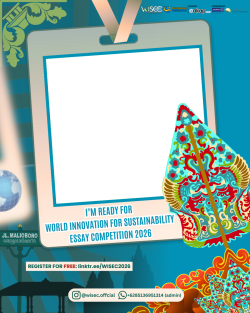
🚀 𝗜'𝗠 𝗥𝗘𝗔𝗗𝗬 𝗧𝗢 𝗕𝗘 𝗣𝗔𝗥𝗧 𝗢𝗙 𝗬𝗢𝗨𝗡𝗚 𝗖𝗔𝗧𝗔𝗟𝗬𝗦𝗧 𝗪𝗜𝗧𝗛 𝗪𝗜𝗦𝗘𝗖 𝟮𝟬𝟮𝟲! 🌍✨ I am (Name) from (School/University), am ready to be a finalist in the @wisec.official international essay competition organized by @cakapriset on May 16-17, 2026 online & June 27-28, 2026 offline in Yogyakarta 📢 Come on, register your team now 𝗙𝗥𝗘𝗘 at: 🔗 linktr.ee/WISEC2026 Be part of this year's most inspiring essay competition 🌟 #WISEC2026 #WISEC #InternationalCompetition
Copy Caption
Restart
Save
https://framise.com/wisec2026
How to Use the Frame Editor
Desktop Users
Move Image:
Click and drag the image to reposition
Zoom:
Use mouse wheel to zoom in/out
Pan:
Right-click and drag to pan around
Mobile/Touch Users
Move Image:
Touch and drag to reposition
Zoom:
Use pinch gesture (two fingers)
Pan:
Touch and drag with two fingers
Pro Tips:
Position your image within the frame borders for best results
Use zoom to fit your image perfectly within the frame
The frame will be applied when you download your image
Home
Frames
Dashboard
Profile